 8cdf7a905a
- Add custom logo.png and favicon.ico for Marshall Islands Public School System - Update all application references from 'Uptime Kuma' to 'PSS Uptime' - Update README.md with PSS Uptime branding and credits to original Uptime Kuma project - Update Docker configuration to build from source - Update all notification providers to use PSS Uptime branding - Update UI components, layouts, and pages with new branding - Update language files (en, zh-CN, zh-TW) with PSS Uptime translations - Add logo URL input field in status page settings - Update default icon references from icon.svg to logo.png |
||
|---|---|---|
| .github | ||
| config | ||
| db | ||
| docker | ||
| extra | ||
| public | ||
| server | ||
| src | ||
| test | ||
| .dockerignore | ||
| .editorconfig | ||
| .eslintrc.js | ||
| .gitignore | ||
| .npmrc | ||
| .prettierignore | ||
| .prettierrc.js | ||
| .stylelintrc | ||
| CNAME | ||
| CODE_OF_CONDUCT.md | ||
| compose.yaml | ||
| CONTRIBUTING.md | ||
| ecosystem.config.js | ||
| index.html | ||
| LICENSE | ||
| package-lock.json | ||
| package.json | ||
| README.md | ||
| SECURITY.md | ||
| tsconfig-backend.json | ||
| tsconfig.json | ||

PSS Uptime
PSS Uptime is an easy-to-use self-hosted monitoring tool for the Marshall Islands Public School System.
Note: This project is based on Uptime Kuma, an open-source monitoring tool created by louislam. We extend our gratitude to the Uptime Kuma project and its contributors for their excellent work.
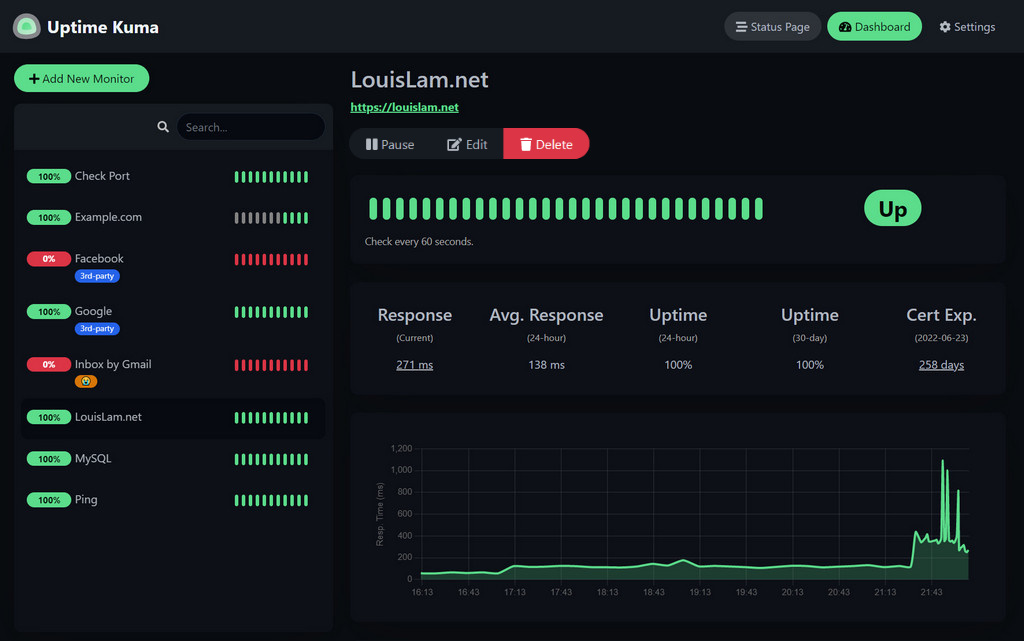
🥔 Live Demo
For a live demo of the original Uptime Kuma project, visit:
Demo Server (Location: Frankfurt - Germany): https://demo.kuma.pet/start-demo
It is a temporary live demo, all data will be deleted after 10 minutes. Sponsored by Uptime Kuma Sponsors.
⭐ Features
PSS Uptime includes all the powerful features from Uptime Kuma:
- Monitoring uptime for HTTP(s) / TCP / HTTP(s) Keyword / HTTP(s) Json Query / Websocket / Ping / DNS Record / Push / Steam Game Server / Docker Containers
- Fancy, Reactive, Fast UI/UX
- Notifications via Telegram, Discord, Gotify, Slack, Pushover, Email (SMTP), and 90+ notification services
- 20-second intervals
- Multi Languages
- Multiple status pages
- Map status pages to specific domains
- Ping chart
- Certificate info
- Proxy support
- 2FA support
🔧 How to Install
🐳 Docker Compose
git clone <your-repo-url>
cd PSS-Uptime
docker compose up -d --build
PSS Uptime is now running on all network interfaces (e.g. http://localhost:3001 or http://your-ip:3001).
Warning
File Systems like NFS (Network File System) are NOT supported. Please map to a local directory or volume.
🐳 Docker Command
docker build -t pss-uptime -f docker/dockerfile --target release .
docker run -d --restart=always -p 3001:3001 -v pss-uptime:/app/data --name pss-uptime pss-uptime
PSS Uptime is now running on all network interfaces (e.g. http://localhost:3001 or http://your-ip:3001).
If you want to limit exposure to localhost only:
docker run ... -p 127.0.0.1:3001:3001 ...
💪🏻 Non-Docker
Requirements:
- Platform
- ✅ Major Linux distros such as Debian, Ubuntu, Fedora and ArchLinux etc.
- ✅ Windows 10 (x64), Windows Server 2012 R2 (x64) or higher
- ❌ FreeBSD / OpenBSD / NetBSD
- ❌ Replit / Heroku
- Node.js >= 20.4
- Git
- pm2 - For running PSS Uptime in the background
git clone <your-repo-url>
cd PSS-Uptime
npm run setup

# Option 1. Try it
node server/server.js

# (Recommended) Option 2. Run in the background using PM2
# Install PM2 if you don't have it:
npm install pm2 -g && pm2 install pm2-logrotate

# Start Server
pm2 start server/server.js --name pss-uptime
PSS Uptime is now running on all network interfaces (e.g. http://localhost:3001 or http://your-ip:3001).
More useful PM2 Commands
# If you want to see the current console output
pm2 monit

# If you want to add it to startup
pm2 startup && pm2 save
Advanced Installation
If you need more options or need to browse via a reverse proxy, please refer to the original Uptime Kuma documentation:
https://github.com/louislam/uptime-kuma/wiki/%F0%9F%94%A7-How-to-Install
🆙 How to Update
For update instructions, please refer to the original Uptime Kuma documentation:
https://github.com/louislam/uptime-kuma/wiki/%F0%9F%86%99-How-to-Update
🆕 What's Next?
For the latest features and roadmap, please check the original Uptime Kuma project:
https://github.com/louislam/uptime-kuma/milestones
❤️ Credits & Acknowledgments
PSS Uptime is based on Uptime Kuma, an excellent open-source monitoring tool created by louislam and maintained by a dedicated community of contributors.
We would like to express our gratitude to:
- louislam for creating and maintaining Uptime Kuma
- All contributors to the Uptime Kuma project
- The open-source community that makes projects like this possible
If you find PSS Uptime useful, please consider supporting the original Uptime Kuma project:
🖼 More Screenshots
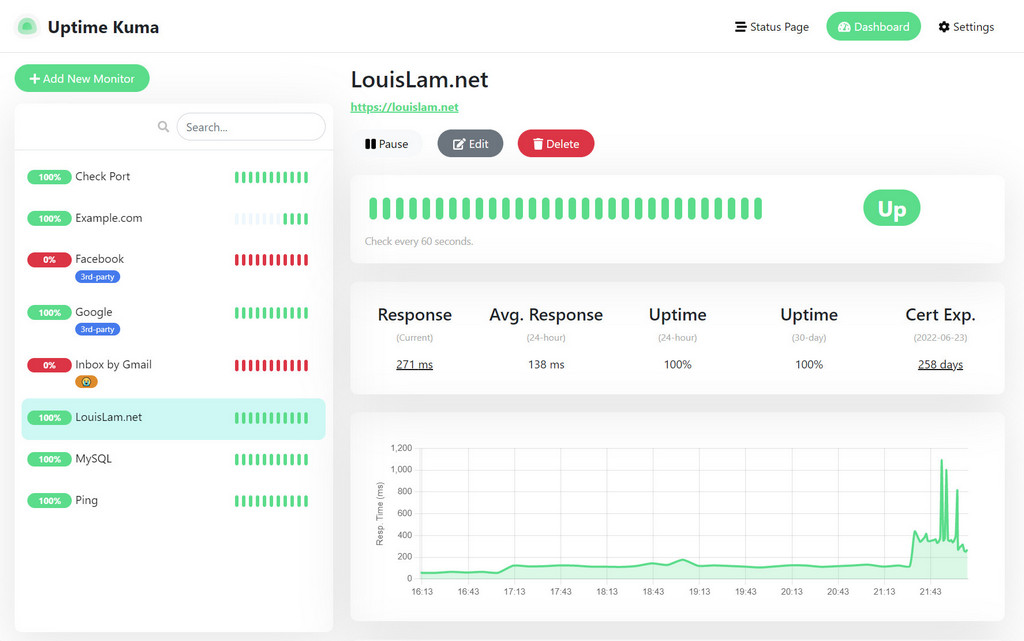
Light Mode:
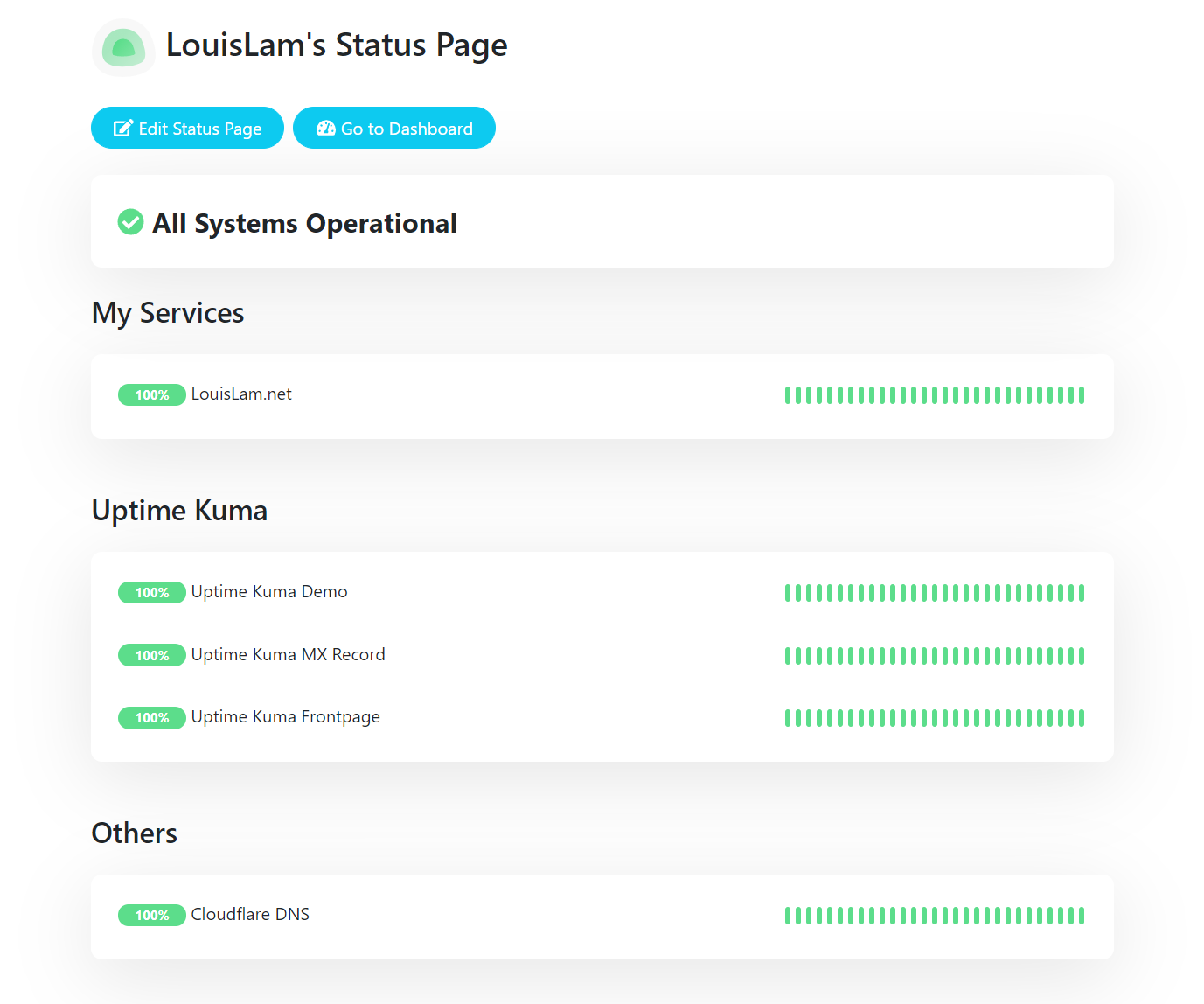
Status Page:
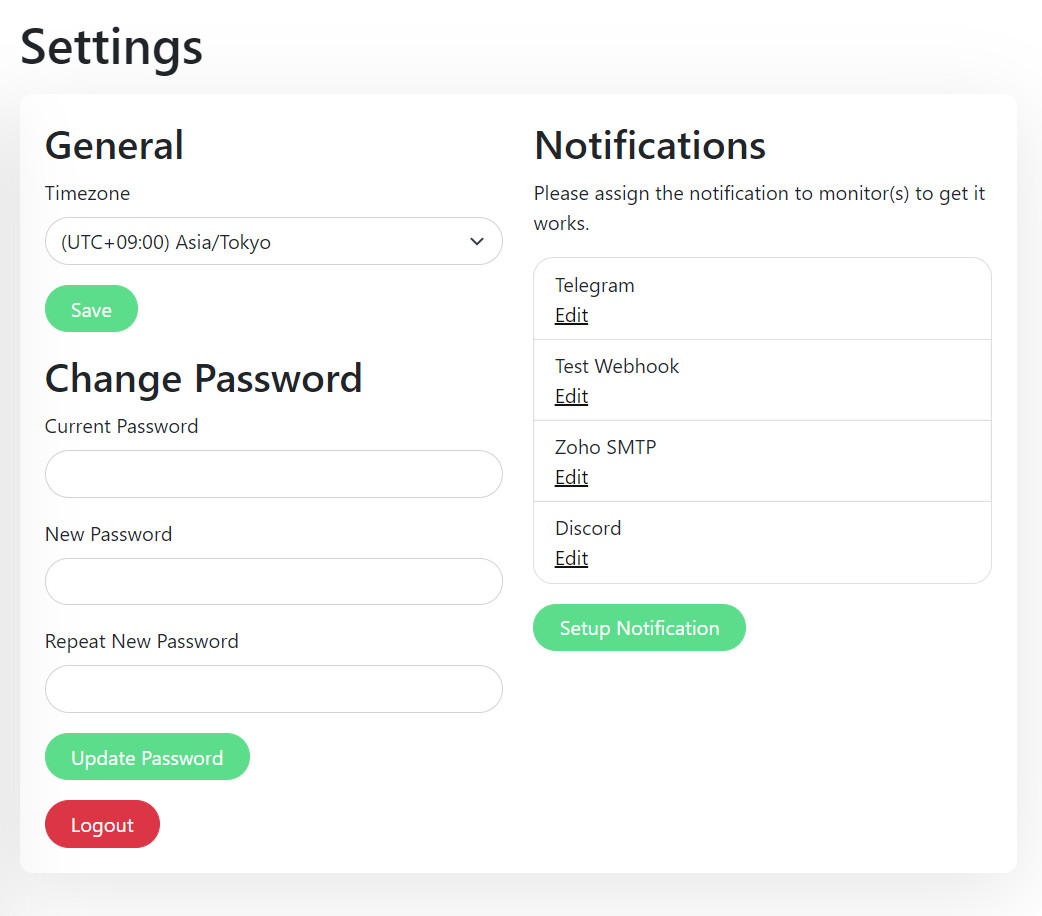
Settings Page:
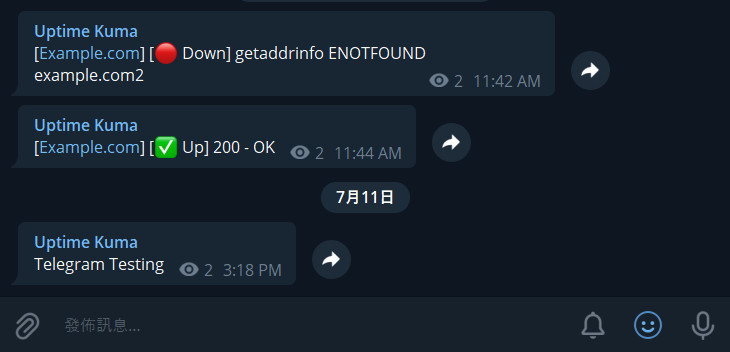
Telegram Notification Sample:
About PSS Uptime
PSS Uptime is a customized version of Uptime Kuma for the Marshall Islands Public School System. This project maintains all the powerful features of the original Uptime Kuma while being tailored for the specific needs of the PSS organization.
Original Uptime Kuma Motivation
The original Uptime Kuma project was created with the following motivations:
- A need for a self-hosted monitoring tool like "Uptime Robot"
- Building a fancy, modern UI
- Learning Vue 3 and vite.js
- Showcasing Bootstrap 5 capabilities
- Using WebSocket with SPA instead of REST API
- Deploying Docker images to Docker Hub
If you love this project, please consider:
- Giving the original Uptime Kuma project a ⭐
- Supporting the Uptime Kuma project through GitHub Sponsors or Open Collective
🗣️ Discussion / Ask for Help
For questions about PSS Uptime, please use the appropriate channels for this project.
For questions about the original Uptime Kuma project, please refer to:
⚠️ For any general or technical questions about Uptime Kuma, please don't send emails to the original author, as they are unable to provide support in that manner.
Contributions
Contributing to PSS Uptime
Contributions to PSS Uptime are welcome! Please follow the project's contribution guidelines.
Contributing to Uptime Kuma
If you'd like to contribute to the original Uptime Kuma project (which benefits this project as well), please refer to:
- Uptime Kuma Contributing Guidelines
- Test Pull Requests
- Latest Beta Releases
- Report Bugs / Feature Requests
- Translations
License
This project is based on Uptime Kuma and follows the same license. Please refer to the LICENSE file for details.